


Voice Recorder & Voice Memos
4.811.61K Reviews
App Specs
- Version
- 1.3.7.0
- Updated On
- License
- Free
- Downloads
- 10,000,000+
- Developer
- Simple Design Ltd.
- Categories
- Music & Audio
- Platform
- Android, iOS
Screenshots
 Analysis by AppCompare
I use a voice recorder most when typing would slow me down: catching an idea before it disappears, keeping a spoken reminder, or saving a useful explanation to revisit later. Voice Recorder & Voice Memos is aimed at that practical kind of use. It keeps recording at the center of the experience, and that uncomplicated approach makes it easier to reach for in everyday moments than an app built around a large suite of audio tools.
Who benefits most from a straightforward recorder
I’d consider this app if you want a dedicated place for voice notes rather than a complicated audio workstation. Students can use it to capture personal revision notes, while writers can speak rough ideas aloud and listen back when they have time to shape them. It also suits people who need to remember instructions or want to keep a short record of a conversation they are allowed to record. In each case, the point is to make a recording quickly, then return to it when it is useful.
A realistic example is leaving a meeting with several small tasks in mind. Instead of trying to type while walking to the next appointment, I could record a quick recap, then listen again later and turn the important parts into a checklist. That workflow is only helpful if recordings are named or sorted in a way that makes sense to me. A useful habit is to label a memo as soon as I finish it, while the subject is still obvious; a vague title can make even a short recording hard to identify a week later.
Readability and navigation in daily use
The opening paragraph already captures the main appeal of Voice Recorder & Voice Memos: I can get to the recording action without first learning a complicated interface. A clean screen and a prominent record button can reduce the number of decisions between remembering an idea and preserving it. That matters when I am distracted, in a hurry, or trying to avoid losing a thought while switching between apps.
The layout is likely to feel most comfortable to someone who prefers a small set of clear actions. It is less suited to a person who expects an elaborate dashboard, detailed recording controls, or a full audio-production workflow. For a new user, I’d start by recording a short test memo, stopping it, and checking that it is easy to find and play back. That simple first run helps establish a personal routine before relying on the app for an important lecture or reminder.
Voice Recorder & Voice Memos is a free music-and-audio app from Simple Design Ltd. It has a 4.8 average from around 250,000 ratings and more than 10 million installs. Those figures suggest that it has found a broad audience, but they do not tell me whether it will suit a particular person’s needs; the best test is whether its recording and playback routine feels clear on your own device.
Motor and sensory considerations
A prominent recording control is useful when fine, repeated taps are difficult, because it gives the main task a visible destination. I also appreciate that a simple recorder can demand less attention than an app that asks me to configure several settings before I can begin. Still, a large-looking button alone does not prove that every control is easy for every user to operate. If precise touch is challenging, I’d try the actual start, stop, playback, and editing steps before depending on the app in a time-sensitive situation.
Worth Reading Before You Choose

Flipboard Shows What News Apps Must Do Beyond the Feed

Switching to Android Auto Means Rethinking Your Driving Routine

Google Calendar Makes a Crowded Week Easier to Manage

Ludo King Makes the Most of the Minutes Between Plans

Baby Panda World Brings Quick Play to Modern Phones, but Its Game Library Feels Busy

ESPN’s Live Game View Makes Following Close Games Easier
For someone who is sensitive to sound or records in a noisy setting, the room and the phone’s position matter as much as the app. I’d make a brief test recording from the place I plan to use, then listen with the same headphones or speaker I expect to use later. Moving closer to the speaker and away from competing noise can make a more meaningful difference than assuming an app setting will fix a poor recording. This is especially worthwhile before capturing a long class or an important explanation.
Situational access: the right tool for the moment
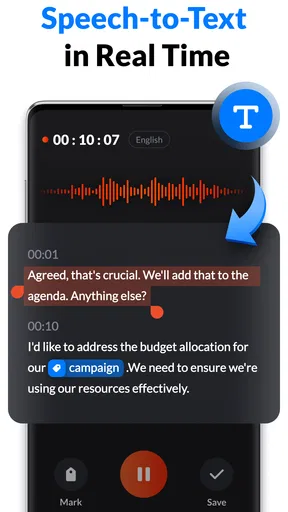
This recorder is a good fit when I need to preserve speech quickly and can review it later. It is not the same thing as live transcription: if I need searchable written notes during a discussion, a transcription-focused tool may be more useful. Likewise, if I need to capture a performance with careful microphone placement, multiple tracks, or detailed mixing, a dedicated audio-recording tool is a better match than a simple memo app.
Compared with a phone’s built-in recorder, a dedicated app can be worthwhile when its recording library and organization suit the way I collect audio. Compared with a general notes app, the advantage is having audio as the main object rather than a secondary attachment. Neither comparison guarantees that it will be better for everyone: if the built-in recorder already makes it easy to record, name, and find clips, switching may add little. I’d choose based on the workflow I actually use, not on the number of buttons or options an app displays.
Voice recording also depends on context and consent. Before recording a conversation, I would check the expectations of everyone involved and follow the rules that apply where I am. For lectures or meetings, a quick spoken note for personal review may be more appropriate than recording other people without their knowledge. In public, I’d keep the phone secure and avoid handling it while walking through a busy area; a good memo is not worth creating a safety problem.
Getting Started: Simplicity at Its Best
The first thing you'll notice about Voice Recorder & Voice Memos is its clean, user-friendly interface. The app doesn’t bombard you with unnecessary frills. Instead, it focuses on delivering a straightforward experience that lets you hit “record” in seconds. Whether you’re tech-savvy or a complete novice, you’ll find the navigation intuitive and hassle-free.
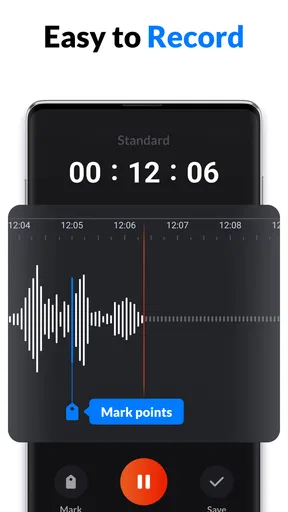
After installing the app, you’re greeted with a simple home screen that displays your existing recordings and a prominent record button. Just tap it, and you’re off to the races. There’s no steep learning curve here, which is refreshing in today’s app landscape.
Quality and Features: More Than Just Recording
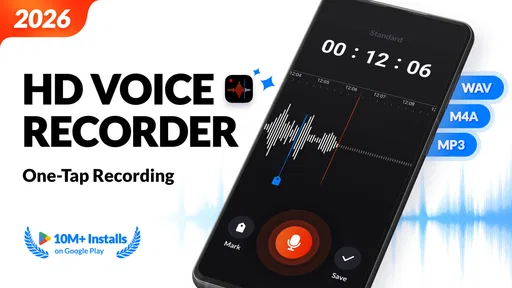
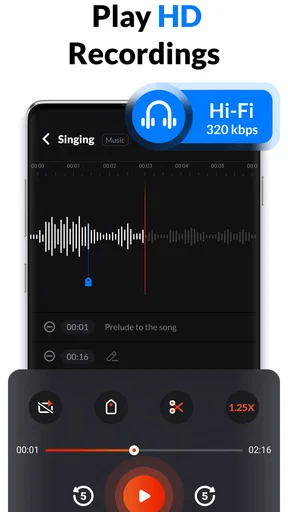
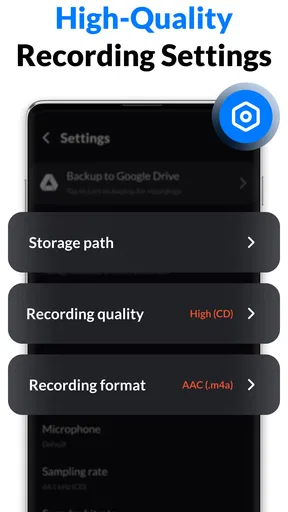
While simplicity is key, the app doesn’t skimp on features. The app offers high-quality audio recording, which is a must if you want to capture every nuance of a conversation or musical note. Plus, you can choose from different recording formats, letting you balance quality and file size based on your needs.
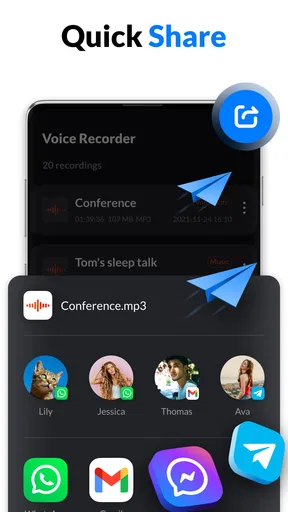
What's more, the app includes an editing feature that lets you trim and cut your recordings. This is perfect when you want to eliminate awkward silences or interruptions. Another standout feature is the app’s ability to share recordings directly to cloud services or via email, making collaboration a breeze.
Organizing Your Audio: A Breeze
One of the pain points with voice recordings is organization. Thankfully, the app comes with a tagging and sorting system that lets you categorize your recordings easily. You can label each memo and even add notes, ensuring you’ll never lose track of important audio clips.
The search function is another lifesaver. Instead of scrolling through endless files, you can quickly find what you’re looking for with a simple keyword search. It’s these small touches that make the app stand out from its competitors.
Keeping recordings useful over time
Editing and organization are most valuable when I use them as part of a consistent routine. I’d trim a clip only after checking the original playback, so an important pause or a quiet word does not get cut away by mistake. For longer recordings, making a few shorter clips around the parts I need can be easier to revisit than repeatedly scrubbing through the full audio. I’d keep the original until I am confident the edited version contains everything worth saving.
Tags, notes, and search can also help separate recordings that sound similar. I’d use a predictable naming pattern, such as a topic followed by a class or project name, rather than relying on memory. Search works best when I have added terms I am likely to remember later. If I record something sensitive, I would also think carefully before sharing it: a convenient sharing option does not replace checking the recipient and the contents of the file.
Why You’ll Love It
There’s something incredibly satisfying about an app that works as advertised without any fanfare. Voice Recorder & Voice Memos is all about practicality and efficiency. Whether you’re a student, journalist, musician, or just someone who likes jotting down verbal notes, this app has you covered.
Plus, it's not just about functionality. The app is also lightweight, meaning it won’t hog your phone’s storage. It’s perfect for anyone who needs a reliable tool that won’t slow down their device.
Price, compatibility, and what to expect
The app is free to download, with in-app purchases ranging from $2.49 to $19.99 per item. It is rated for Everyone, runs on Android 8.0 or later, and its current version is 1.3.2.0. It was released on September 20, 2022, and has around 11,000 written reviews. I’d begin with the free experience and decide whether the way I use it justifies any purchase; there is no need to pay simply because an option is available.
One practical question is whether it is the right choice for a long recording. I’d test the available storage and battery situation on my phone before an extended session, and make a short sample to check the result. For a one-off note, those preparations may be unnecessary; for a lecture or interview, they help avoid preventable surprises. Another useful check is whether I can locate and share a test file in the way I need before recording something important.
Remaining barriers and a balanced choice
The app’s direct approach is also its main trade-off. People who need transcription, advanced sound controls, or a carefully structured research archive may find that a recorder alone leaves extra work to do. Someone who relies on visible text rather than audio will need another way to capture or review information. And anyone recording in a noisy room should not expect trimming or file organization to improve unclear speech; those tools help manage a recording, not remake its sound.
I would skip it if my main goal were editing music in depth, producing polished podcasts, or turning speech into searchable text automatically. In those cases, a specialist tool is more appropriate. I would also avoid treating any voice recorder as the only copy of an important record: after a valuable session, I’d play back the file and share or save a copy somewhere suitable for my own workflow. That small check is more dependable than assuming a recording is usable just because the timer ran.
For users with motor, hearing, or vision needs, the sensible approach is to try the complete task on their own phone: start a recording, stop it, find it again, and play it through a comfortable output method. App interfaces and device settings can interact in different ways, so I would not assume that a simple screen solves every access need. The low-friction design is a promising starting point, but personal testing matters more than a general claim of accessibility.
Final Thoughts: Is It Worth the Download?
If you’re on the hunt for a robust voice recording app that doesn’t overcomplicate things, this app should be on your radar. Its blend of simplicity, quality, and handy features makes it a standout choice in a crowded market. Whether you’re capturing fleeting thoughts or important lectures, it’s an app that promises to deliver, every single time.
My recommendation is more specific: I’d choose it for everyday spoken notes when I want recording, trimming, and finding clips to stay in one place without turning the task into a project. Its Everyone age rating and free starting point make it easy to consider, while the optional purchases are worth weighing against how often I use it. If I needed live text, studio-level control, or a different access method, I’d look elsewhere. For a simple voice-first workflow, though, the app offers a practical place to begin.
Pros
- User-friendly interface for quick recording.
- High-quality audio output with minimal noise.
- Supports multiple audio formats for export.
- Easy integration with cloud storage services.
- Offers editing features for trimming recordings.
Cons
- Limited features in the free version.
- Occasional ads can interrupt recording.
- No advanced audio editing tools.
- Requires permissions for microphone access.
- Lacks transcription feature for recordings.
FAQs for Voice Recorder & Voice Memos
What features does the Voice Recorder & Voice Memos app offer?
The Voice Recorder & Voice Memos app provides a variety of features including high-quality audio recording, easy editing tools, and the ability to organize recordings into folders. It also supports cloud storage integration and offers different audio formats, making it versatile for both personal and professional use.
Is the Voice Recorder & Voice Memos app free to use?
Yes, the app is free to download and use, but it offers in-app purchases for premium features. These may include advanced editing tools, additional storage options, and ad-free experiences. Users can decide whether they want to upgrade based on their recording needs.
How user-friendly is the Voice Recorder & Voice Memos app?
The app is designed with a user-friendly interface, making it accessible for all users, even those with minimal technical skills. It features intuitive navigation, clear icons, and simple controls, allowing users to start recording quickly and manage their files efficiently.
Can I share my recordings directly from the app?
Yes, the app allows you to share your recordings easily via email, messaging apps, or social media. It supports multiple formats, ensuring compatibility with various platforms and devices. This makes it convenient for users who need to distribute their recordings quickly.
Does the app support background recording?
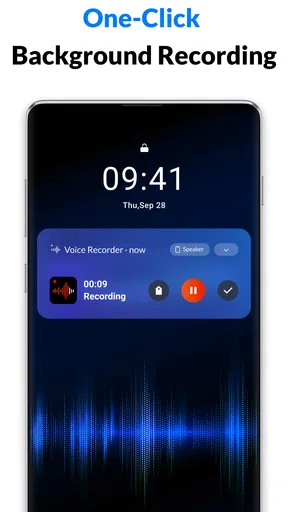
The Voice Recorder & Voice Memos app supports background recording, allowing you to use other apps simultaneously without interrupting your recording session. This feature is particularly useful for multitasking, ensuring you never miss an important moment while using your device.


